The job chat app for contractors, homeowners and subs.
Replace the group texts and WhatsApp threads. Every job gets private chats, plans, a schedule and signed change orders, and everyone only sees what they should.
No card needed. Everyone you invite joins your jobs at no cost to them; running your own jobs takes a plan. Works on iPhone, Android and computers. Sign in
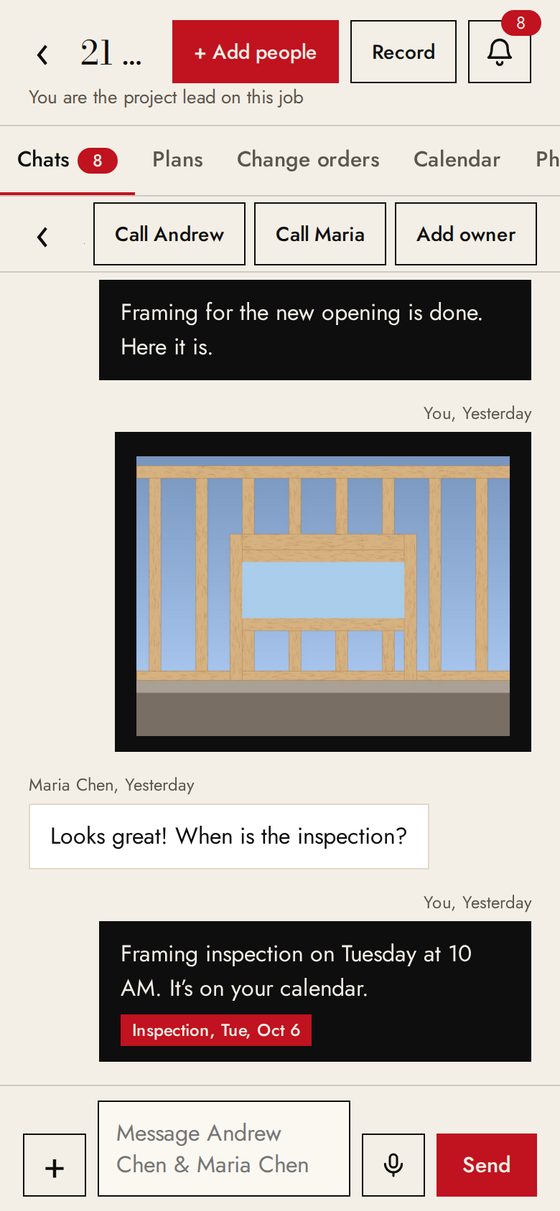
One app for everyone on the job
Run every job from your phone. Chats, change orders, plans and dates, with your markup kept private.
See updates and photos, find the latest plans, and approve changes with one clear price. Free.
Get your messages, plans and schedule, and send change order prices. Free.
How it works
- 1Create a job
Name it, add the address. Takes 20 seconds.
- 2Text the invites
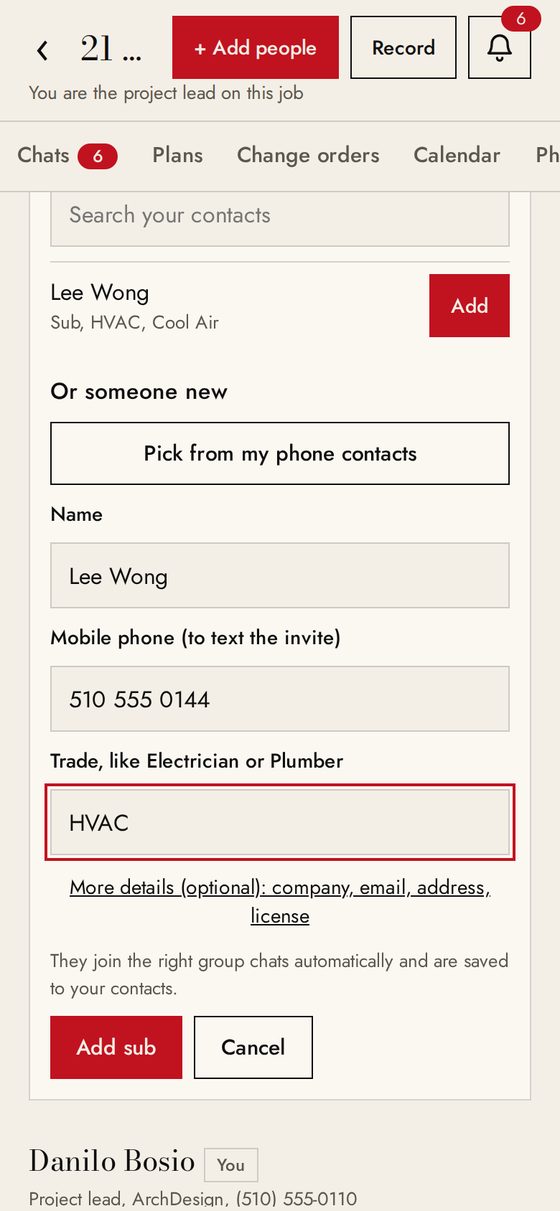
Add the homeowner and subs from your phone contacts. They tap the link and join. No app store, no password.
- 3Everyone is in the right chats
Homeowner chat, Job team, Design team, private chats. Set up automatically by role.
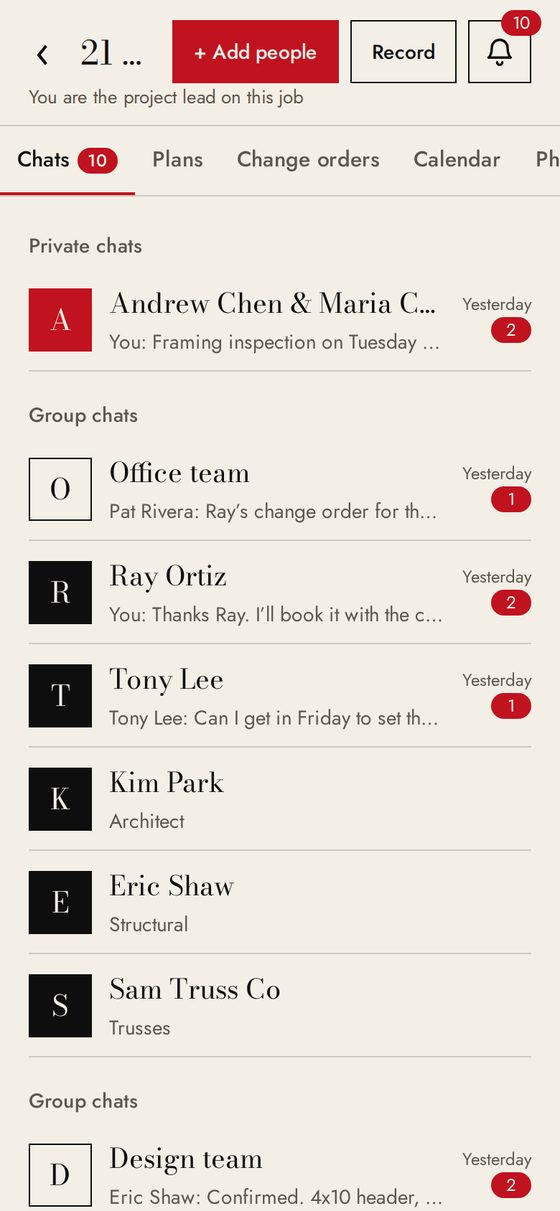
Chats that keep the right people apart
A private chat with each person, plus group chats for the homeowners, the job team, the design team and your office. Photos, videos, voice notes and PDFs stay with the job, not on personal phones.
Change orders the homeowner signs
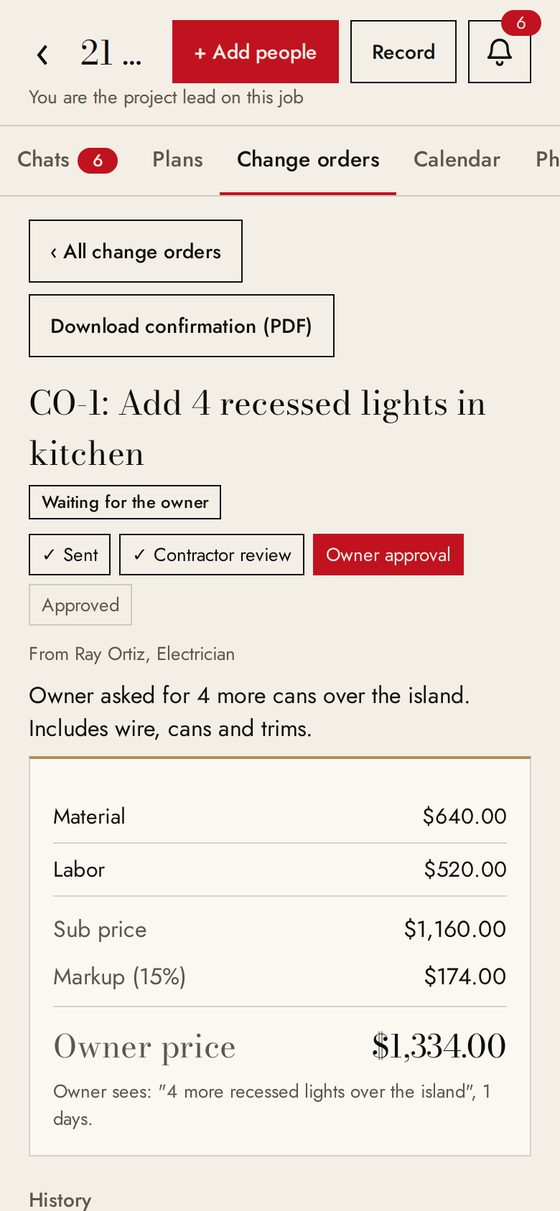
The sub sends a price. You add your markup by percent or dollars. The homeowner sees one final price and signs with their name. Everyone downloads their own confirmation, and the homeowner never sees the sub price or your markup.
Plans and a shared calendar
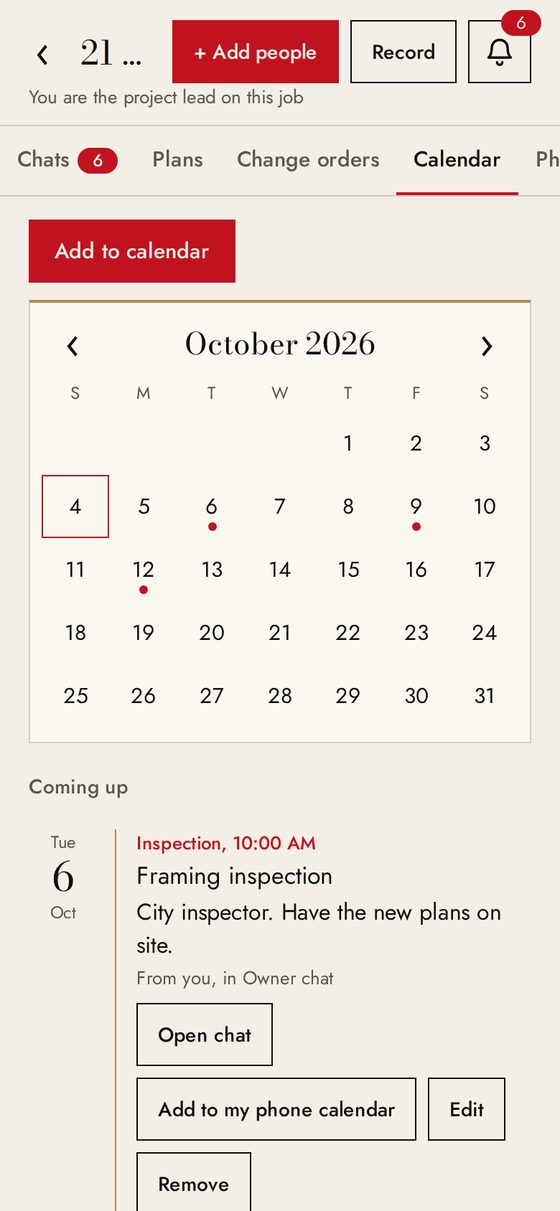
PDF plan sets with numbered revisions, older versions marked superseded. A calendar for inspections, deliveries, site visits and reminders, with phone alerts.
Add the whole team in a minute
Tap who they are, pick them from your phone contacts, and text the invite. They join free and land in the right chats.
See it in 1 minute
Built for real jobs
Not just hidden on the screen. Each person can only open what their role allows.
Download the project record as a PDF, or every chat, photo, plan and confirmation as one ZIP.
On Pro and Business: speak, and AI writes a clear message or fills in a change order.
Simple plans, monthly or yearly
For the first 10 contractors only. Price locked for life, 20 GB storage, and the option to move to Founding Pro ($70, everything in Pro) any time.
1 user (you), up to 5 active jobs, 20 GB storage, more users $19/month each. Or $490 a year.
Unlimited jobs, 3 users included (more $19/month each), 100 GB storage, Talk for everyone on your jobs, private documents, and contract and lien waiver templates. Or $990 a year.
10 users included (more $15/month each), priority support, 300 GB storage, Talk, private documents, and contract and lien waiver templates. Or $1,990 a year.
For an owner building their own home. One active job and 20 GB storage, with private documents and contract templates. Cancel when the project is done.
Every plan starts with a free 30-day trial. Billed monthly, or yearly with 2 months free, in US dollars through Stripe. Cancel any time; your plan stays active until the end of the period you paid for. Need more space? Add 50 GB of storage for $10 a month. See refunds and cancellation.
Questions
Do owners and subs need to pay?
No. Only the project lead has a plan. Everyone they invite joins free with a link sent by text.
Does JobsiteConnect handle payments between me and my clients?
No. Change orders in JobsiteConnect are a record of approval between the teams. Each company writes its official change order, invoice and payment in its own office.
Is my job data private?
Each person only sees the chats, plans and approvals they are allowed to see, enforced by our database, not just the screen. See our privacy policy.
Does it work on iPhone and Android?
Yes. Install it from your browser on Android, iPhone or a computer.
Can I get my files out?
Yes. Download the project record as a PDF, or every chat, photo, plan and confirmation as one ZIP file.
Ready to run your next job in one place?
Try it free for 30 days. No card needed.
Start your free trial
Open jobsiteconnect.app in Chrome, Safari or Edge to create your project lead account, or open JobsiteConnect Pro.